9:16 Aspect Ratio: Video Sizes, Cropping and Calculator
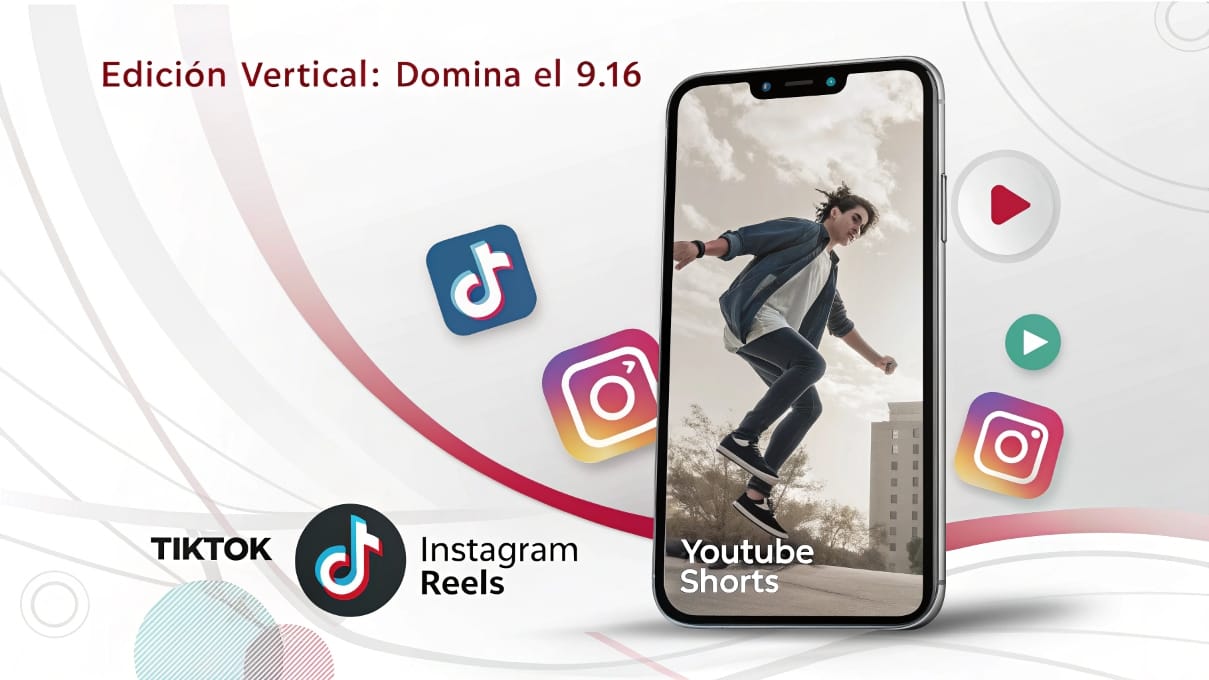
The 9:16 aspect ratio is a vertical frame: nine units wide for every sixteen units high. A 1080 × 1920 video is a common example. Use this guide to choose dimensions, resize videos without stretching, protect captions from interface overlays and export a usable file for social platforms.
What does 9:16 mean?
An aspect ratio describes the shape of an image, not its sharpness, file size or length. Width comes first. The standard ratio 16:9 is landscape; reversing those proportions gives a tall 9:16 frame. Both 720 × 1280 and 2160 × 3840 have the same shape as 1080 × 1920, although their pixel counts differ.
A 9:16 video is commonly used for TikTok, Reels, YouTube Shorts and Instagram Stories. That does not mean every platform accepts only this shape or applies the same duration and upload rules.
| Shape | Ratio | Example pixels | Editing consideration |
|---|---|---|---|
| Vertical | 9:16 | 1080 × 1920 | Frame a person or a detail within a narrow canvas. |
| Square videos | 1:1 | 1080 × 1080 | Compose again rather than assuming a vertical crop fits. |
| Portrait feed | 4:5 | 1080 × 1350 | Less tall than 9:16; check the intended placement. |
| Landscape | 16:9 | 1920 × 1080 | Useful for a wider scene or several people. |
Common 9:16 dimensions
720 × 1280, 1080 × 1920, 1440 × 2560 and 2160 × 3840 all reduce to 9:16. Choose a size supported by the destination and justified by the source footage. Exporting a low-resolution recording at a larger size increases the pixel dimensions; it does not recreate detail that was never captured.
Aspect ratio calculator
Enter the width and height of your video in pixels. The calculator simplifies the ratio and shows the height needed for a 9:16 canvas at your chosen width. It works in your browser and does not upload your video.
Without the calculator: divide width and height by their greatest common divisor. For a 9:16 canvas, height = width × 16 ÷ 9. Use whole-pixel dimensions that both the editor and the destination accept.
Should you shoot vertical or crop horizontal footage?
Shoot with the final framing in mind when the only delivery is vertical. If a photographer needs a wedding film and a reel from the same event, plan enough room around the subjects for both versions. A shot that works as a wide view may not contain a useful vertical crop.
| Method | What changes | Useful when | Check |
|---|---|---|---|
| Crop to fill | Part of the source image is removed. | The subject fits inside a narrower frame. | Faces, hands, captions and action stay visible. |
| Fit with a background | The whole source remains, with space around it. | Removing the sides would lose essential information. | The background and smaller image remain readable. |
| Resize proportionally | Width and height change together. | You need a smaller export of the same shape. | The source and output ratios already match. |
| Stretch | Width and height change independently. | Usually unsuitable for people and objects. | Distorted faces or circles are a warning sign. |
A cropping example with real pixel dimensions
A 3840 × 2160 landscape image can contain a 1215 × 2160 crop at exactly 9:16. That crop can be scaled down to 1080 × 1920. It retains only about 32% of the source width, so check whether the subject and its surroundings still tell the story. A full-HD landscape source has less detail available for the same operation.
Do not enlarge and crop every shot with a single preset. Reframe each shot, then review the sequence at normal speed. A face that stays inside one frame may leave it as the person moves.
Five ways to reframe a landscape scene
- Static crop: choose a stable position when the subject stays in one area.
- Tracked or keyframed movement: follow the subject, keeping the movement smooth and motivated.
- Separate shots: use a wide view followed by a closer detail instead of trying to show everything at once.
- Fit inside a designed background: preserve a group shot, presentation or screen recording that needs its full width.
- Split screen: combine complementary views only when both remain understandable on a phone.
Automatic reframing is a starting point. Review changes around cuts and moments with more than one person; the tool may choose a different subject from the one your story needs.
Compose for the information people need to see
Keep the important action easy to follow within the narrow frame. A centered speaker can be practical, while negative space can help a caption or product detail. The correct composition depends on the shot; there is no rule that every face must sit at one fixed coordinate.
For an event reel, check the couple’s faces, the ring exchange, hands during a toast and the person giving the reaction. For a tutorial, check whether the useful part of the interface is readable after cropping. If it is not, use a closer screen capture or a separate graphic.
Safe zones for Reels, TikTok, Shorts and Instagram Stories
Platform buttons, captions, profile information and reply controls can overlap the image. Their positions vary with the app, placement, device and interface changes. A single permanent pixel template cannot guarantee that every element stays clear everywhere.
- Keep essential text away from the extreme top, bottom and sides.
- Leave room around subtitles rather than placing them against the edge.
- Preview each destination, including its cover or feed crop.
- Check the longest caption and any shot where a face moves near the interface.
For paid placements, use the platform’s current safe-zone resources. For organic uploads, review a draft in the actual app before publishing. A clean master lets you make a platform-specific version without baking every interface assumption into the original edit.
Set up a vertical project before you edit
- Choose a vertical timeline or canvas, such as 1080 × 1920.
- Use square pixels and confirm that width and height have not been reversed.
- Choose a frame rate that fits the recordings and delivery, rather than changing it solely because the video is vertical.
- Place a sample shot and check whether it is being fitted, cropped or stretched.
- Add a representative title and subtitle before building the whole sequence.
The same dimension check applies in DaVinci Resolve, Premiere, Final Cut and social editing apps. Menu names differ, so inspect the actual timeline and export dimensions instead of relying only on a preset label.
Choose pacing and duration around the message
A short video still needs a clear opening, progression and ending. Show what the viewer is about to learn or see, remove repetition and preserve pauses that matter. Do not cut every two seconds just to satisfy a formula. Dialogue, movement and music may call for different timing.
Duration eligibility is separate from aspect ratio. YouTube’s guidance includes square or vertical Shorts up to three minutes, subject to its eligibility rules. Check the current Shorts guidance rather than applying one maximum duration to all platforms.
A practical 9:16 export checklist
Confirm the output width and height, frame rate, codec, audio and intended color output. MP4 with H.264 is a common delivery choice, but the destination or client may require something else. Choose quality settings for the scene’s movement and detail; orientation alone does not determine a suitable bitrate.
- Export a short section with faces, movement, subtitles and audio.
- Inspect it outside the editor at full size and on a phone.
- Check that there are no unintended borders, stretched faces or clipped subtitles.
- Preview an upload draft to see how platform processing changes the result.
- Export the complete video only after the test works.
Retain the project and original recordings if you may need square videos or landscape versions later. More detail on containers and compression is in our video codec guide.
Common mistakes to catch before delivery
- Reversing width and height: 1920 × 1080 is landscape, not vertical.
- Using a horizontal export preset: verify the output even if the timeline looks correct.
- Assuming crop means resize: one removes content; the other changes dimensions.
- Putting text under controls: review the final placement, not only the editing preview.
- Upscaling to fix a weak source: larger dimensions do not restore missing focus or detail.
- Copying the same framing everywhere: square and vertical versions may need separate choices.
9:16 video questions
What do “9 16 ratios” and “9×16 video” mean?
These are common ways of writing or searching for the 9:16 vertical aspect ratio. A “9 16 video” normally refers to the same tall shape. The conventional notation uses a colon, and the pixel dimensions determine whether a particular file actually matches it.
Is 9:16 the same as 1080p?
No. The ratio describes shape. A vertical full-HD-style delivery commonly uses 1080 × 1920, but several resolutions share that ratio. Read both dimensions when a preset is ambiguous.
Can square videos become 9:16?
Yes, through cropping or a background layout. Cropping removes the sides of the square, while fitting preserves the whole square with extra space above and below. Choose according to what the scene needs.
Can I resize videos without losing quality?
Proportional downscaling can make a suitable smaller file. Cropping removes information, and upscaling estimates additional pixels. Keep the originals and test a short export before committing to the entire sequence.
Use the format where it helps the viewer
A tall frame can use a portrait phone screen effectively and makes a person or detail prominent. That is a framing advantage, not a promise of higher engagement. The content, sound, clarity and relevance still determine whether someone keeps watching.
TikTok publishes separate in-feed ad specifications. Check the requirements of the exact placement you plan to use.
Continue learning vertical editing
Professional Reels and TikTok editing · Editing YouTube Shorts · Choose editing software