TikTok Video Editing: How to Create Viral & Engaging Content
TikTok Video Editing: How to Create Content That Actually Performs
The algorithm does not reward the best-produced video. It rewards the one people finish watching. Everything in this guide points toward that single goal.
Why Editing Determines Performance on TikTok
Most creators approach TikTok like a content problem. They think if the idea is good enough, the video will perform. The algorithm does not work that way. Two videos with identical ideas and similar production quality can have completely different distribution outcomes based on editing decisions alone.
The reason is that when people watch your video all the way through, TikTok interprets that as a signal that the content is worth showing to more people. When viewers drop off in the first three seconds, the algorithm stops distributing. Every editing decision you make either keeps people watching or gives them a reason to scroll away.
This guide covers the specific editing techniques that affect retention, how the algorithm responds to those metrics, the workflow we use at EdicionVideoPro, and the mistakes that kill otherwise good videos before they get a chance to reach anyone.
How the TikTok Algorithm Actually Works
TikTok distributes content through a series of increasingly large audience tests. A new video first goes to a small group, maybe a few hundred people. If they engage with it by watching, sharing, commenting or saving, the algorithm moves it to a larger group. This cycle continues until engagement rates drop below a threshold, at which point distribution stops.
The metrics that move a video through these stages, in rough order of importance:
Completion rate
The percentage of viewers who watch the full video. This is the primary signal. A 70 percent completion rate on a 20-second video outperforms a 20 percent rate on a video with 500k views. The algorithm cares more about the ratio than the raw number.
Re-watch rate
How many people watch the video more than once. TikTok counts replay views as additional watch time. A looping video that people watch three times in a row generates three times the watch time signal, which is why loop editing matters beyond just being a stylistic choice.
Shares and saves
Shares are the strongest engagement signal. A share means a viewer found the video valuable enough to send to someone else. Saves (bookmarks) signal the content is reference-worthy. Both carry more algorithmic weight than likes or comments.
Comments
Comments extend the time people spend engaged with your content. Controversial opinions, questions that invite debate, and content that asks viewers to share their own experience all generate comments, which extend session time and improve distribution.
Trending audio
TikTok connects videos using the same sound. When a sound is trending, the platform shows videos using it to people who have already engaged with that sound before, giving those videos a pre-qualified audience that is already interested in the format.
Early velocity
How quickly engagement accumulates in the first hour after posting. A video that gets 50 completions in the first 30 minutes gets pushed harder than one that takes 6 hours to reach the same number. Posting when your specific audience is active affects this window directly.
What this means for editing
Every editing decision should be evaluated against one question: does this keep people watching? The hook keeps them watching past second two. Aggressive pacing keeps them watching through the middle. The loop ending gets them to watch again. Text overlays keep them watching when they have the sound off. This is not a creative philosophy. It is how you work with the algorithm rather than against it.
The Seven Editing Decisions That Drive Performance
The hook: the first 1.5 seconds decide everything
The opening frame is not an introduction. It is the entire argument for why a stranger scrolling past your video should stop. Show the most visually compelling moment, the most surprising claim, or the answer to an implicit question. Anything that creates an information gap.
Common techniques that work: starting at the climax or result and then explaining how you got there, bold on-screen text that makes a provocative statement, a visual that is visually unusual enough to create a pause in the scroll. Intros, greetings, and establishing shots all belong later in the video or not at all.
Edit your hook last. After you have cut the full video, go back and reconsider whether the first frame is still the strongest possible opening. Often a moment from the middle of the video makes a better hook than whatever you originally used to open it.
Trending audio: discovery and rhythm
Using a trending sound does two things. It connects your video to an existing audience that has already engaged with that sound, giving you a pre-qualified distribution pool. And it gives you a rhythmic structure to edit against, which produces more energetic, watchable content than footage cut with no rhythmic logic.
Edit your cuts so they land on downbeats or rhythmic accents in the audio. Beat-synced editing raises the perceived quality of any video regardless of production budget. The audience senses the intentionality even when they cannot articulate what they are responding to.
Check the TikTok Discover page and the Creative Center (available at ads.tiktok.com) for sounds gaining momentum. A sound that has been trending for two weeks is near the end of its useful window. Look for sounds that have grown significantly in the last 48 to 72 hours.
On-screen text: the second audio track
TikTok is primarily an audio-on platform, but a significant portion of viewers, especially in public or professional settings, watch with the sound off at least some of the time. Text overlays that reinforce the key message serve those viewers without disrupting the experience for people watching with audio.
The practical rules for text on TikTok:
- Keep important text in the middle third of the frame. TikTok places username, caption and buttons at the top and bottom, overlapping anything you put there
- Use fonts large enough to read on a phone screen held at arm’s length
- High contrast between text and background. White text with a subtle shadow or stroke on complex backgrounds works on most content
- Text should appear and disappear in sync with the audio. Static text that sits on screen for 10 seconds looks static and loses attention
Pacing: cut everything that does not earn its place
TikTok editing is fundamentally about density. The amount of information, visual change, and energy per second needs to be higher than in any other video format. Every pause between sentences, every transitional phrase, every establishing shot, every breath that does not add rhythm should be cut.
This does not mean every video should be a frantic montage. Educational content can have slower pacing if the information density is high. Comedy can use pauses for timing. The test is whether a given moment is doing active work or just taking up time.
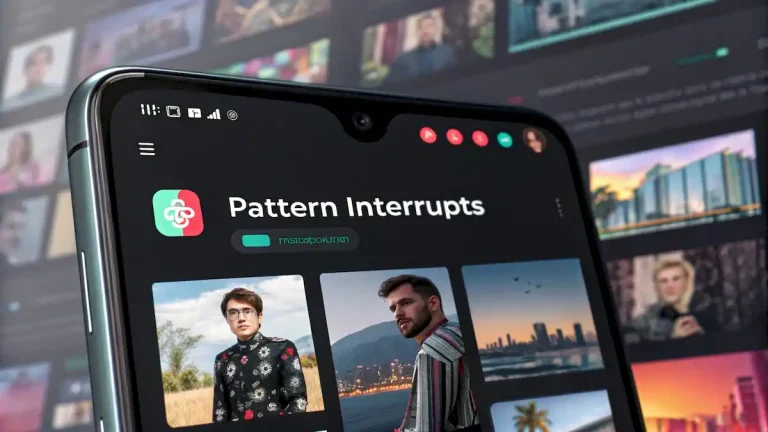
Introduce a visual or audio change every 3 to 5 seconds: a quick zoom, a cut to a different angle, a text reveal, a sound effect, a change in camera distance. The brain responds to novelty. Regular pattern interrupts keep the brain from settling into passive observation, which is when viewers start scrolling.
Effects and transitions: use with intention
TikTok’s native effects are part of its visual language. Green screen, zoom effects, stitch, duet, and the various AR effects are recognized immediately by the platform’s audience. Using them appropriately, not as decoration but as storytelling tools, signals fluency in the format.
The most common mistake is using effects to fill time or add visual interest when the content itself is not strong enough to hold attention. Effects do not fix weak content. They amplify whatever is already there. Strong content with simple transitions will outperform weak content with complex effects on any metric the algorithm measures.
Audio mix: voice first, everything else supports it
If your video has voiceover or on-camera speech, it needs to be intelligible at any playback volume. Muffled, inconsistent, or background-noise-heavy audio is one of the most common reasons viewers drop off in the first five seconds.
- Voice at 0 dB, music at -18 to -24 dB when they run simultaneously is a practical starting balance
- Sound effects on key moments reinforce visual transitions and add energy without requiring additional footage
- Clean recorded audio saves significant editing time. Background noise that has to be reduced in post is never fully eliminated and always audible to attentive viewers
Loop ending: designing for the replay
TikTok automatically replays videos when they end. A video that ends mid-sentence, mid-action, or with a hard cut feels like it has stopped. A video that ends in a way that flows naturally back into its own opening frame continues playing without the viewer consciously noticing the restart.
Each additional replay your video accumulates counts as additional watch time. If 30 percent of viewers watch the video twice, TikTok reads the average completion rate as 130 percent, which is an extraordinary algorithmic signal that the content is worth distributing widely.
The simplest loop: end with a line that creates a question the beginning answers. The viewer does not consciously notice they are rewatching. They just keep watching because the video seems to still be going.
The Complete TikTok Editing Workflow
This is the sequence we follow at EdicionVideoPro on every TikTok project. The order matters because each step sets up the next one.
From idea to published video
- Research before filming: Identify the concept and find a trending sound that fits it before picking up a camera. Building the edit around pre-selected audio from the start produces better sync than retrofitting audio to existing footage
- Film vertically and with the hook in mind: Record your most compelling moment first, even if it will appear later in the narrative. Having it on camera means you have the option to use it as the opening frame
- Rough cut for pacing first: Assemble the video without any effects, text, or music. Get the pacing and content right at the cut level before adding anything else
- Add audio and sync cuts to the beat: Import the trending audio and adjust your cut points to land on musical accents. This one step usually makes the rough cut feel significantly more professional
- Add text overlays: Key message lines that appear in the center frame, timed to the audio. Auto-captions for dialogue. Review all auto-generated text for errors
- Effects and color: Add any native TikTok effects, color grading, or visual adjustments. Keep color consistent with your brand style if you have established one
- Build and test the loop: Watch the end-to-beginning transition and adjust until it flows naturally
- Export clean at 1080×1920: No watermarks from other platforms. Upload directly from the editing device to avoid additional compression
- Write the caption as a CTA: The first line of the caption appears in the feed. Make it a question or statement that creates curiosity about the video, not a description of what the video already shows
Which Software to Use
The right tool depends on how much time you have per video and what level of control you need. None of these is wrong. They represent different trade-offs between speed and precision.
Best for: most creators
Free, built specifically for short-form vertical video, has native TikTok integration including direct upload, handles auto-captions better than any other mobile editor, and includes trending sound integration. The desktop version adds timeline precision that the mobile version lacks. For creators publishing 3 to 5 videos per week, this is the most efficient option.
Best for: professional quality
Gives you full control over color grading, audio mixing, multicam, and complex effects. The trade-off is time: a TikTok that takes 20 minutes in CapCut takes 45 to 60 minutes in Premiere. Worth it for branded content, paid campaigns, or content where visual quality is a differentiator. The Text-Based Editing AI feature works well for TikTok talking-head content.
Best for: color-critical content
Free version handles everything most TikTok creators need. Color grading tools are the best available in a free NLE. The Fairlight audio page is professional-grade for voice cleanup. Slightly steeper learning curve than CapCut but the color science and audio quality are noticeably better on close inspection.
Best for: Mac users at volume
Fastest export speeds of any NLE on Apple Silicon. Magnetic timeline speeds up rough cuts significantly. Lacks some of the AI features Premiere has added recently, but on a modern Mac the editing experience is faster than any other option. One-time purchase rather than subscription.
On using TikTok’s native editor
TikTok’s built-in editor is useful for adding effects, sounds, and text after a video is filmed, but it is not a substitute for a proper edit. For content where pacing and structure matter, do the core edit in CapCut or a desktop NLE first, then add TikTok-native elements as a final step either in the app or through CapCut’s direct publishing integration.
Common Editing Mistakes That Kill Performance
These are the patterns that show up in low-performing videos. Each one is a specific editing decision, not a content problem.
Starting with an intro or greeting
“Hi guys, welcome back” is three seconds of content that communicates nothing and gives the viewer no reason to stay. Anyone who was not already committed to watching has already scrolled away before you finish the sentence.
Publishing content with a competitor watermark
TikTok algorithmically reduces distribution of videos with visible Instagram, YouTube Reels, or other platform watermarks. Always export a clean version from your editing software. This applies in both directions: TikTok watermarks hurt Reels distribution too.
Text placed at the bottom of the frame
TikTok’s interface places the username, caption, hashtags, and share buttons in the lower third of the screen. Any important text you place there will be partially or fully covered. Keep all critical text in the center zone.
Forcing a trending sound that does not fit
Jumping on a trend with content that does not naturally fit the audio produces a confused viewer experience. The audience recognizes when the content is constructed around a trend versus when it genuinely fits one. Forced participation typically performs worse than authentic content with less trendy audio.
Keeping dead time between sentences
Every pause, breath, and filler word that is not doing timing work is a potential drop-off point. Remove them in the edit. Even a 0.5-second gap where nothing is happening is enough for a viewer in the habit of scrolling to act on that instinct.
Exporting in horizontal or square format
Horizontal video on TikTok gets letter-boxed with black bars and receives significantly less distribution than vertical content. 9:16 at 1080×1920 is the only format that gets full-screen display and full algorithmic treatment.
The Metrics That Tell You What to Fix
TikTok Analytics tells you exactly which editing decisions are working and which ones are losing viewers. Here is how to read them.
Drop-off graph
Found in video analytics under Audience Retention. A drop at 0 to 3 seconds means the hook failed. A drop in the middle means pacing collapsed. A sharp drop at a specific moment points to the exact cut or transition that lost people.
Average watch time vs. video length
A 20-second video with 18-second average watch time has 90 percent completion. That is the signal the algorithm looks for. A 3-minute video with 90-second average watch time has 50 percent completion, which is significantly weaker despite more raw time spent.
Shares vs. views ratio
Shares are the strongest engagement signal. A ratio above 1 to 50 (one share per 50 views) is solid for most content categories. Below 1 to 200 means the content is being watched but not found compelling enough to pass on, which usually points to a content depth issue rather than an editing problem.
Saves
Saves indicate the viewer wanted to return to the content. High saves with low shares suggests the content is valuable but personal rather than shareable. Educational and tutorial content gets high saves. Entertainment content gets high shares. Both are useful but serve different distribution patterns.
Traffic source: For You vs. Followers
If most of your views come from followers rather than the For You page, the algorithm is not distributing the video to cold audiences. This usually means completion rate is too low in the initial distribution window. The hook needs work.
Comments per view
A high comment rate signals the video is generating conversation. This extends session time on your content and sends a strong engagement signal. Content that asks a question, makes a debatable claim, or invites personal experience sharing generates more comments than content that simply informs.
Frequently Asked Questions
Completion rate. The algorithm distributes videos based primarily on how many people watch them all the way through. A video with 70 percent average completion will be pushed to more users than one with 100k views but 20 percent completion. The hook, pacing, and loop ending all serve this single goal. Everything else in the edit is secondary to getting people to finish the video.
Not always. Trending audio is a strong discovery signal because it connects your video to viewers who have already engaged with that sound. But if using a specific sound requires forcing your content into a shape it does not naturally fit, you are trading content quality for distribution potential, which rarely works in your favor. Original audio or royalty-free music that serves the content better is the right call when trending audio does not fit organically.
CapCut is the most practical starting point. It is free, built for short-form vertical video, integrates directly with TikTok, and handles auto-captions, beat sync and effects efficiently. For creators who need professional color grading, precise audio mixing, or complex effects, Premiere Pro, DaVinci Resolve or Final Cut Pro are worth the additional time per video. The choice depends on how many videos you publish per week and what level of quality your content requires.
For most content categories, 15 to 30 seconds produces the highest completion rates because the bar for watching the full video is lower. Educational or tutorial content can perform well at 45 to 90 seconds when information density is high enough to justify the length. Videos longer than 3 minutes are possible but rarely outperform shorter versions unless the creator has an established audience that actively seeks out longer content from them specifically.
Pattern interrupts are any sudden visual or audio change that resets the viewer’s attention: a quick zoom, a cut to a different angle, a text reveal, a sound effect, a change in camera distance. The brain responds to novelty. Introducing a pattern interrupt every 3 to 5 seconds prevents the viewer from settling into passive observation, which is the mental state that precedes scrolling away.
Yes. TikTok’s algorithm reduces distribution of videos with visible Instagram, YouTube, or other platform branding. The same applies in reverse: Instagram Reels reduces distribution for videos with TikTok watermarks. Always export a clean version from your editing software with no platform watermarks before uploading. This applies regardless of which platform the content was originally made for.
Check the drop-off graph in TikTok Analytics under Audience Retention. If you see a significant viewer drop between 0 and 3 seconds, the hook is not working. If the biggest drop happens after the 3-second mark, the hook held attention but something in the middle of the video lost people. The graph points to the specific moment viewers are leaving, which identifies which editing decision to change on the next video.
General peaks are 6 to 10 AM and 7 to 9 PM in your target audience’s timezone. But the more useful answer is to check your TikTok Analytics under Followers for the specific hours when your existing audience is most active. Post within an hour of those windows. Posting time affects the early velocity of your video’s distribution, which matters because a video that builds momentum in the first hour gets pushed harder than one that builds the same engagement over 12 hours.
The technical format is identical but the editing approach differs. TikTok is more forgiving of rough cuts, jump cuts, and high-energy pacing. Instagram Reels audiences respond slightly better to more polished visual editing and re-watch loops are a stronger signal there. The most important practical rule: always remove watermarks before cross-posting. Exporting two versions with slightly different caption placement and a platform-specific CTA produces better results than a single version posted everywhere.
Automatic captions in CapCut and most editing software are accurate enough for standard spoken language and save significant time. Always review them before publishing because errors on proper nouns, technical terms, or accented speech are common. For educational content where accuracy matters, manual review is worth the extra time. For entertainment or lifestyle content where captions support a mood rather than conveying precise information, auto-captions with a quick pass for obvious errors is sufficient.
Want TikTok Videos Edited to Perform?
Knowing the techniques is one thing. Applying them consistently across a content calendar is another. At EdicionVideoPro we edit TikToks with the same strategy used on every platform we work with: hook first, pacing second, algorithm logic throughout. Tell us about your project.