How to Send Footage to a Video Editor
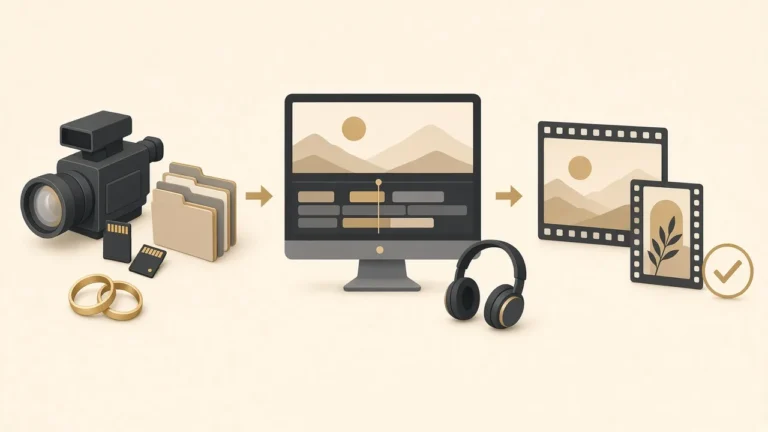
To send footage to a video editor, gather the original recordings, separate audio and a brief that sets out the deliverables, references and deadline. Share a folder only after checking its contents and access. This checklist is designed for photographers and studios handing off weddings, quinceañeras and other social events.
1. Define the deliverables before uploading
Describe the event and distinguish what was recorded from what needs to be delivered. Two hours of footage is not a complete brief: the camera count, available audio and required films or short edits all affect the work.
- Deliverables: number of videos, approximate length, orientation and language.
- Must-have moments: vows, speeches, ceremony, dances or specific guests.
- Style: one or two references and what you like about each.
- Schedule: proposed first-review and final-delivery dates, to agree with the editor.
2. Keep the originals and separate recording sources
Make a backup before preparing the transfer. Preserve camera-card names and structure when they may be needed to read the recordings. Keep camera A, camera B and audio-recorder files separate; do not merge matching filenames into one folder.
Clips forwarded through messaging apps may not retain original quality. Send camera originals when available. If you also have proxies, identify which original each copy belongs to and agree whether they are needed for the handoff.
3. Use a clear folder structure
Event_2026-11-15/
  01_Camera_A/
  02_Camera_B/
  03_Audio/
  04_Logos_and_graphics/
  05_References/
  Event_brief.txt
This is an organizational example, not a reason to rename source files in an existing project. In the brief, point to important moments using filenames or approximate recording times. Identify anything that must not appear in the final edit.
4. Include audio and flag missing material
Send separate audio even when the cameras recorded sound. Identify microphones, speakers and known gaps, interruptions or sync problems. Note any known clock difference between cameras instead of changing metadata to make it look consistent.
Include usable logos and approved on-screen wording. Clarify music permissions and supply licensing details where applicable. A reference track can explain the desired mood; it does not establish permission to publish that track.
5. If someone has already started the project
Provide the editing application and version, editable project, required media and external dependencies. A project file alone may not contain the footage, fonts or plugins. In Premiere, Project Manager can collect media used in selected sequences; check external dependencies separately. See Adobe’s project-copying guidance.
6. Test access before sending the link
Use the agreed folder or transfer service. Drive and Dropbox permissions determine what the recipient can open or download. Confirm access with the editor and check that the upload has finished; seeing the folder is not proof that every file arrived.
Editing permission is unnecessary when the recipient only needs to download. Avoid making private footage publicly accessible when sharing with the editor’s account is sufficient. Check the sharing options in Google Drive or Dropbox.
Before editing begins
- Keep a backup and confirm the upload is complete.
- Identify cameras, audio and graphics.
- Include the deliverables, references, important moments and restrictions.
- Confirm download access.
- Agree on scope, revisions and the delivery schedule.
The editor’s material check may reveal missing files or additional work. Confirming scope after that check avoids treating a shared folder as an automatic start to the delivery deadline.
Related footage guides
Event Video Editing · Video Editing Software
Need an editor for your next event?
Tell us what you recorded, which deliverables your client expects and when they are due. We agree on the scope before editing starts.