TikTok Editing for Beginners 2026 – Complete Performance Guide
TikTok Editing for Beginners: Complete 2026 Guide to Videos That Actually Perform
Master professional TikTok editing from scratch: algorithm optimization, retention strategies, viral hooks, and data-driven techniques that turn views into engagement and conversions.
TikTok editing for beginners isn’t just about cutting clips and adding trending sounds. In 2026, the TikTok algorithm rewards retention metrics, scroll-stopping hooks, and content that drives measurable engagement.
Here’s the problem: most tutorials teach you buttons, not strategy.
This guide is different. We’ll show you how to edit TikToks with a performance-first mindset—videos that hold attention, generate engagement, and convert viewers into followers or customers.
???? What you’ll learn: From setting up your first project to advanced pattern interrupts, pacing strategies, and perfect loops that boost your average retention by 40%+.
???? Why “Basic” Editing No Longer Works on TikTok
Two years ago, you could shoot raw footage on your phone, upload it unedited, and rack up thousands of views.
That era is over.
TikTok’s 2026 algorithm is brutally selective. It analyzes in real-time:
- 3-second retention: Users who leave before that? Your video dies
- Average watch time: Videos with 60%+ retention explode
- Re-watch rate: Perfect loops multiply your reach
- Engagement metrics: Comments, shares, saves signal quality content
The difference between 500 views and 50,000 isn’t “luck.” It’s strategic editing.
???? Key data: TikToks edited with professional retention techniques are 43% more likely to hit For You Page than raw, unedited videos (EdicionVideoPro internal analysis, 500+ projects).
This doesn’t mean you need to master Premiere Pro. But you do need to understand what makes a TikTok retain.
That’s exactly what this guide covers.
????️ TikTok Editing Tools: What to Use as a Beginner
Good news: you don’t need expensive software to start.
Option 1: TikTok’s Native Editor (Free, Mobile)
Ideal if you’re just starting and want to publish quickly.
Pros:
- Built into the app (zero setup)
- Native effects optimized for the algorithm
- Licensed music library
- Easy text and stickers
Cons:
- Limited control over precise timing
- Can’t edit multi-camera footage
- Difficult to create custom effects
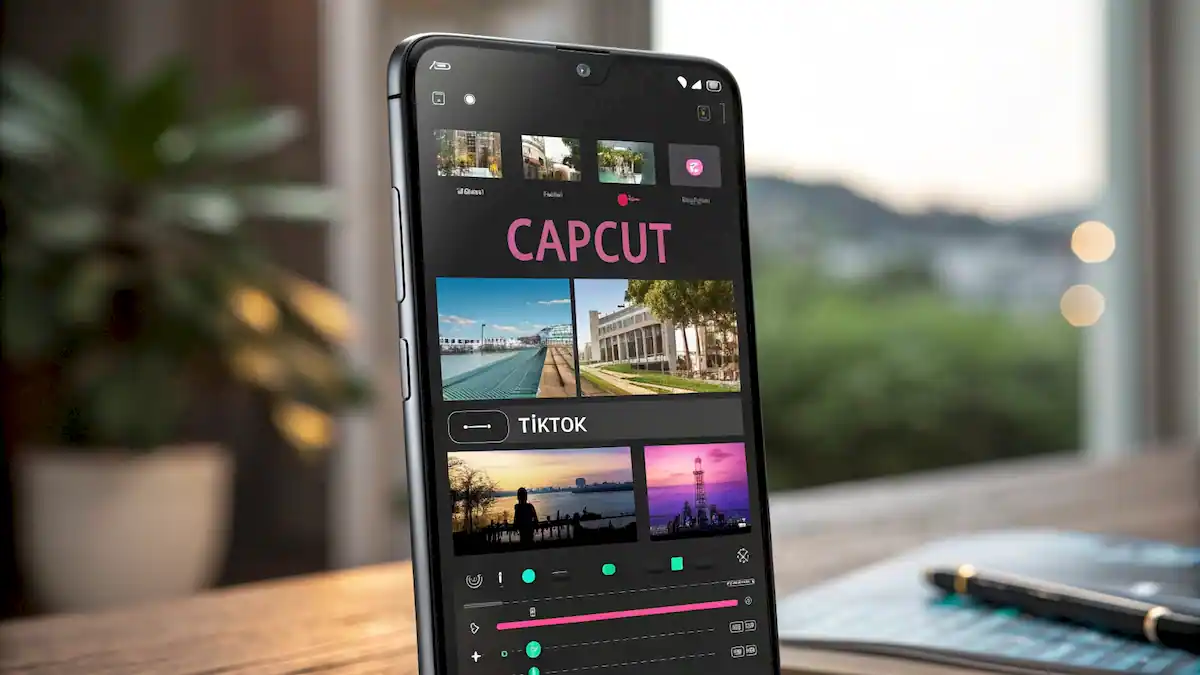
Option 2: CapCut (Free, Mobile & Desktop)
Our #1 recommendation for beginners.
CapCut is owned by ByteDance (TikTok’s parent company), so it has seamless integration.
Why it’s ideal:
- Free with no watermark
- Pre-built viral templates
- Auto captions (automatic subtitles)
- Trending effects updated regularly
- Exports directly to TikTok with no quality loss
Option 3: Adobe Premiere Pro / DaVinci Resolve (Professional)
If you have editing experience or want complete control, these are industry standards.
Advantage: Frame-accurate timing, professional color grading, advanced motion graphics.
Drawback: Steeper learning curve.
Premiere Pro beginner’s guide →
⚡ Strategic tip: Start with CapCut. Once you master fundamentals (hooks, pacing, retention), migrate to professional tools if you need more control.
| Tool | Level | Cost | Best For |
|---|---|---|---|
| TikTok Native | Basic | Free | First videos, trending effects |
| CapCut | Intermediate | Free | Consistent creators, templates |
| Premiere Pro | Advanced | $24.99/mo | Total control, complex projects |
| DaVinci Resolve | Advanced | Free/Studio | Professional color grading |
???? Technical Setup: The Perfect TikTok Configuration
Before editing, you need the right settings. This is non-negotiable for professional-looking videos.
Format and Resolution
Required configuration:
- Aspect ratio: 9:16 (vertical)
- Resolution: 1080 x 1920 px
- Frame rate: 30 fps (or 60 fps if shot that way)
- Ideal duration: 21-34 seconds (sweet spot)
- Export format: MP4 (H.264)
- Bitrate: 10-12 Mbps
Complete 9:16 vertical video guide →
Audio and Music
Audio is 50% of your result. Bad audio kills retention instantly.
Golden rules:
- Use trending audio: TikTok prioritizes videos with viral sounds
- Balanced volume: Voice at -6dB, music at -18dB (if voiceover)
- No distortion: Check for peaks in the meter
- Perfect sync: Audio must align with movements/actions
???? Step-by-Step: Your First Professional TikTok (Complete Workflow)
Let’s create your first professional TikTok. This will take 15-20 minutes.
Step 1: Import and Organize Your Footage
Open CapCut (or your editor) and:
- Import all clips you recorded
- Create new sequence: 1080×1920, 30fps
- Drag main clip to timeline
- Trim beginning and end (remove dead moments)
⚡ Golden rule: The first 3 seconds are CRITICAL. If you don’t hook there, users scroll. Cut any unnecessary second before the “hook.”
Step 2: Build the Visual Hook (Seconds 0-3)
The hook is what users see first. It must be impossible to ignore.
Effective hook techniques:
- Provocative question: “Why do your Reels get 200 views?”
- Surprising statement: “This mistake is costing you thousands of followers”
- Visual pattern interrupt: Quick zoom, angle change, abrupt movement
- On-screen text (BIG): Large font, high contrast, impactful first word
In CapCut:
- Select the first 1-2 seconds of your clip
- Add Text → Styles (choose one with good contrast)
- Write your hook (e.g., “STOP. This trick changed my reach”)
- Adjust size to be VISIBLE on mobile
- Add entrance animation (Pop, Typewriter, or Glitch)
Step 3: Apply Pattern Interrupts (Every 3-5 Seconds)
If your video is visually “flat,” the user’s brain gets bored and scrolls.
Pattern interrupts are visual changes that “reset” attention.
Techniques that work:
- Sudden zoom in/out: Emphasize a key point
- Angle change: Multi-camera (if available) or B-roll
- Visual effects: Flash, glitch, quick transition
- Appearing text: Keywords on screen synced with audio
- Speed ramps: Speed up/slow down at strategic moments
Advanced audience retention techniques →
Step 4: Sync Audio and Music
Music isn’t “background.” It’s integral to the narrative.
How to sync correctly:
- Choose trending audio (search TikTok: “Sounds” → “Trending”)
- Add it to your CapCut timeline
- Identify the “drop” (most energetic moment of the song)
- Align your STRONGEST visual content with that drop
- Adjust volume: music to -18dB with voiceover, -12dB without
Result: the video “feels” professional because audio and visual are in harmony.
Step 5: Add Subtitles (Auto Captions)
85% of TikToks are watched without sound.
If your video lacks subtitles, you’re losing 85% of potential viewers.
In CapCut:
- Select your clip with voice
- Tap Text → Auto Captions
- Choose language (English)
- Wait 10-30 seconds (processes automatically)
- Review and manually correct errors
- Customize style: readable font, semi-transparent background, large size
???? Pro tip: Subtitles with keywords in CAPS or bold increase retention. Eyes go straight to them.
Step 6: Create a Perfect Loop (For Re-Watches)
Loops are the secret weapon of viral TikToks.
A loop is when the video’s ending naturally connects with the beginning, inviting re-watch.
How to do it:
- End with an open question: “What would you do?”
- Or with a teaser: “Wait… did you see the detail?”
- Or visual: last frame similar to first
Result: user re-watches → algorithm detects re-watch → your video explodes.
Step 7: Export Optimized for TikTok
In CapCut:
- Tap Export (top right)
- Settings:
- Resolution: 1080p
- Frame rate: 30 fps
- Bitrate: High
- Save to gallery
- Upload to TikTok directly from gallery (DON’T share from CapCut, quality loss)
✅ Pre-publish checklist:
- Strong hook in first 3 seconds ✓
- Pattern interrupts every 3-5 seconds ✓
- Audio synced with visuals ✓
- Subtitles reviewed and readable ✓
- Loop at the end ✓
- Exported in 1080p ✓
???? Advanced Techniques: Take Your TikToks to the Next Level
You’ve mastered the basics. Now come techniques that separate beginners from professionals.
Technique 1: Speed Ramping (Acceleration/Deceleration)
Change your video speed to create dramatic emphasis.
When to use it:
- Before revealing something important: slow motion (0.5x)
- In transitions: speed up (2-3x)
- In action/movement: combine slow + fast = impact
Technique 2: Simple Motion Graphics (Arrows, Circles)
Direct viewer’s eyes with visual elements.
In CapCut: Stickers → Shapes → Add animated arrows/circles pointing to what’s important.
Example: “WATCH THIS ????” with arrow pointing to a detail.
Technique 3: Color Grading to Stand Out in the Feed
TikTok’s feed is saturated. Distinctive color = more likely users stop to watch.
Basic adjustments in CapCut:
- Increase saturation: +10-15 (colors pop)
- Raise contrast: +10-20 (separates lights/shadows)
- Adjust temperature: Warmer (orange) or cooler (blue) depending on mood
Complete LUTs and color grading guide →
Technique 4: Trending Effects (Use Them Strategically)
TikTok launches new effects constantly. Some go viral.
Rule: Use trending effects ONLY if they add to your message. Don’t use them “just because.”
Find trending effects: TikTok → Effects → Trending
❌ Common Mistakes That Kill Your TikToks (And How to Avoid Them)
Mistake #1: Weak or Non-Existent Hook
The problem: You start with “Hey guys, in this video…”
The solution: Start with immediate value. “This trick got me 10K followers in 7 days.”
Mistake #2: Videos Too Long
The problem: Your video runs 90 seconds and loses retention at 15.
The solution: Cut EVERYTHING unnecessary. Ask: “Does this second add value?” If not, remove it.
Mistake #3: No Subtitles
The problem: You trust people have audio on (they don’t).
The solution: Auto captions ALWAYS. Non-negotiable.
Mistake #4: Poor Audio Quality
The problem: Background noise, low voice, music too loud.
The solution: Invest in a basic microphone ($20-40). Or record in a quiet place. Balance audio levels correctly.
Mistake #5: No CTA (Call to Action)
The problem: Video ends and… nothing. User scrolls.
The solution: End with a question (“What do you think?”), request (“Save this if it helped”), or teaser (“Part 2 on my profile”).
???? Don’t Have Time to Edit? We Do It for You
Mastering TikTok editing takes time. And time is what creators, entrepreneurs, and businesses have least.
If you want consistent content without the burnout of editing 4 hours daily, EdicionVideoPro is your solution.
Our Professional TikTok Editing Service:
- Retention-optimized hooks: We apply scroll-stopping psychology
- Algorithm optimization: Pattern interrupts, pacing, perfect loops
- Fast turnaround: 24-48 hours for social content
- Transparent pricing: From $75 per edited TikTok
- Monthly packages: 8-12 TikToks/month from $720
Result: You create content (your expertise). We edit strategically. You publish and grow.
Simple. Scalable. Professional.
❓ Frequently Asked Questions About TikTok Editing
How long does it take to edit a professional TikTok?
For a beginner with CapCut: 15-25 minutes per video once you master the workflow. First videos may take 45-60 minutes while learning. With experience and templates, you can get down to 10-12 minutes per TikTok.
Is it better to edit on mobile or computer?
Mobile (CapCut) is ideal to start: fast, intuitive, pre-built templates. Desktop (Premiere/DaVinci) is better if you need total control, multi-camera, or complex effects. Most successful creators start on mobile and migrate to desktop when scaling.
What’s the ideal TikTok duration?
The sweet spot is 21-34 seconds. Short enough for high retention, long enough to deliver value. 7-15 second videos work for ultra-quick hooks. 60+ second videos only if content is exceptionally valuable (and even then, you’ll lose retention).
Do I need to use trending music?
Not mandatory, but highly recommended. TikTok prioritizes videos with trending audio because they generate more engagement (other users use that sound). If your content is talking/educational, you can use non-trending background music, but ensure content is valuable enough to compensate.
How do I know if my editing is working?
Analyze your retention metrics in TikTok Analytics: Go to video → Analytics → “Average watch time.” If your retention is above 60%, your editing is excellent. 40-60% = good. Below 40% = you need to optimize hooks and pattern interrupts.
Can I reuse the same TikTok on Instagram Reels?
Yes, but with adjustments. Instagram penalizes content with TikTok watermark. Export without watermark (CapCut allows this). Optionally, make small visual adjustments so it doesn’t look “recycled.” Same strategy, different platform. View Reels guide →
What if my edited TikTok gets no views?
Editing is 50% of success. The other 50% is: valuable content, clear niche, consistency, and description/hashtag optimization. If your editing is perfect but content is generic, you won’t explode. Combine strategic editing + unique hook content + consistent posting (3-5 videos/week).
Is it worth paying for professional TikTok editing?
Depends on your goal. If you’re a hobbyist, learn to edit yourself (free). If you’re a serious creator or business, delegating editing frees 10-15 hours/week to create more content or scale. With services from $75/video, the ROI is obvious if you value your time.
???? Conclusion: From Beginner to Strategic Editor
You made it here. That puts you ahead of 90% of creators who only read headlines.
Now you have the knowledge. Execution remains.
Editing professional TikToks isn’t magic. It’s:
- Understanding the algorithm: What it rewards and penalizes
- Mastering the hook: First 3 seconds are life or death
- Maintaining attention: Pattern interrupts every 3-5 seconds
- Optimizing audio: Music + subtitles + balanced volume
- Creating loops: Re-watches multiply reach
Start with your next video. Apply ONE technique from this guide. Then another. And another.
In 30 days, your editing will be radically different from today.
Ready to Create TikToks That Actually Perform?
If you want to accelerate the process and delegate editing to professionals who understand retention, conversion, and strategy…
Schedule Your Free Consultation15 minutes. No commitment. We’ll discuss your content and how to optimize it.
See you on For You Page. ????