
How to Add Subtitles to a Video Automatically
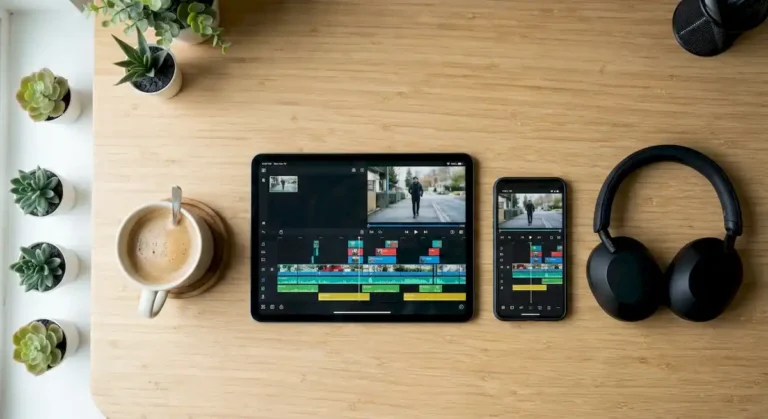
To add subtitles to a video the fastest way is to let the editor transcribe the audio automatically, fix the mistakes by hand and export the subtitles burned into the video or as a separate file. Here are the steps in Premiere Pro, the idea in apps like CapCut and what to check.
Steps to add subtitles to a video in Premiere Pro
- Open your sequence and go to Window, Text to show the transcription panel.
- Pick the language of the audio and click Transcribe.
- Review the text and fix misheard words, proper names and numbers.
- Click Create Captions to turn the transcript into a captions track.
- Adjust the style (font, size, color) so it reads well on a phone.
- When exporting, choose burned-in captions or a separate file (for example SRT).
Adobe documents this feature, called Speech to Text, in its Premiere Pro help; the links are in the sources.
Automatic subtitles in CapCut and other apps
CapCut and other editors offer automatic captions in their text menu: you generate the text, fix it and pick a style. Quality depends on the language and the audio, so always review word by word before publishing.
Mistakes when adding subtitles
- Publishing the transcript without reviewing it: automatic tools get names, accents and background noise wrong.
- Text that is too small or low contrast: it cannot be read on a phone.
- Lines that are too long: split into short phrases that can be read in time.
- Covering the face or the key part of the video: keep captions inside the safe zones, as in the 9:16 guide.
- Noisy audio: improve the sound first and the transcript will be better.
If you would rather have an editor do it
If the video is for your business, wedding or channel and you would rather not deal with it, we edit it for you. We have a special rate for first-time clients: message us on WhatsApp with your video and we will quote time and cost. To see which parts an AI can already handle, read when to use AI video editing.
FAQ about video subtitles
Are automatic subtitles accurate?
They help a lot but are not perfect: it depends on language, audio quality and diction. Always review.
Burned-in subtitles or an SRT file?
Burned-in ones show on any platform but cannot be turned off; an SRT lets viewers toggle them if the platform supports it.
Sources checked
Sources checked on 10 November 2026.