Low CTR? How to Optimize Videos That Actually Get Clicks
High Impressions, Low Clicks?
How to Skyrocket Your Video CTR in 2026
Master the “winning package”: irresistible thumbnails + converting titles + retention-optimized hooks. Stop leaving clicks on the table — and start growing.
???? Quick Answer (2 min read)
Low CTR comes from a disconnect between thumbnail, title, and the first 5 seconds. The fix: build a coherent promise package — thumbnail grabs the eye, title delivers a clear benefit + curiosity, and the opening hook immediately validates that promise. When all three fire together, the algorithm rewards you with exponential distribution. This guide shows you exactly how.

Why Your Video Gets Impressions But No Clicks: 3 Root Causes
Before trying to fix your CTR, you need to identify which element is breaking the chain. YouTube’s algorithm serves your video based on relevance signals — but the click decision belongs entirely to the viewer, made in under 2 seconds based on three components working in harmony.
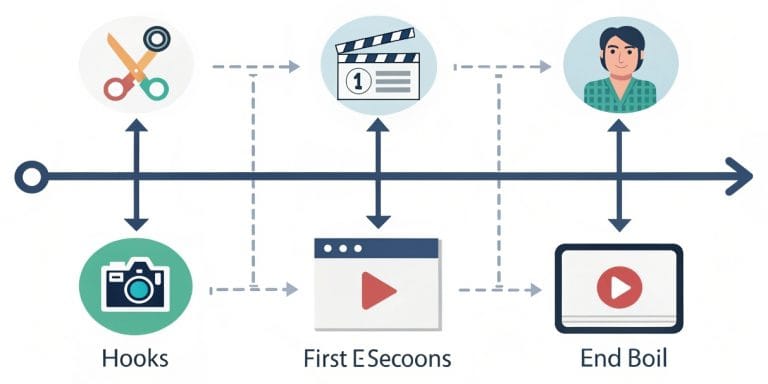
The Viewer’s 2-Second Decision Funnel
Platform CTR Benchmarks for 2026
Not all platforms measure CTR the same way. Here’s how to read your numbers correctly:
| Platform | Good CTR | Excellent CTR | How It’s Measured | Key Benchmark Tool |
|---|---|---|---|---|
| YouTube | 5–8% | 10%+ | Impressions → Clicks (thumbnails shown in feed) | YouTube Studio Analytics → Reach |
| Instagram Reels | 8–12% | 15%+ | Accounts Reached → Profile Visits (no direct CTR metric) | Meta Business Suite → Insights |
| TikTok | 3-sec view rate: 60%+ | 80%+ | Profile link CTR; 3-sec view rate as hook proxy | TikTok Creator Center Analytics |
| YouTube Shorts | Swipe-away rate: <40% | <25% | Feed impressions vs. swipe-away in Shorts shelf | YouTube Studio → Shorts tab |
Sources: YouTube Creator Academy 2025, Meta Transparency Center 2025, TikTok for Business Benchmarks 2025. CTR varies significantly by niche, traffic source (Browse vs. Search vs. Suggested), and audience size.
Thumbnail Design That Demands to Be Clicked (2026 Principles)

With over 500 hours of video uploaded to YouTube every minute (YouTube Official Blog, 2025), your thumbnail competes in an extremely crowded feed. It must function as a billboard that works at 10% size — because 62% of your audience is on mobile, seeing your thumbnail at roughly 120×68 pixels.
✅ 2026 Thumbnail Checklist — Click Each to Track Progress
???? What Fails vs. ✅ What Works
Bad thumbnail: Blurry frame grab, no face, small illegible text, muted/grey colors, competing elements everywhere.
Winning thumbnail: Cropped face showing strong expression, 4-word bold text in contrasting color, clean dark background, subtle brand logo bottom-right.
YouTube’s Native A/B Thumbnail Test: How to Use It in 2026
YouTube’s “Test & Compare” feature — now available to all channels (rolled out broadly through 2024–2025) — lets you run a true randomized experiment: different viewer segments see different thumbnails, and YouTube identifies the winner by measuring impressions-to-clicks. This removes the guesswork entirely.
- Go to YouTube Studio → Content → select any published video.
- Click “Edit video”. In the Thumbnail section, look for “Test & Compare”. (If not visible yet, you may need to enable it via the YouTube Studio experiments panel.)
- Upload up to 3 thumbnail variations. Make them meaningfully different — not just color changes, but different face expressions, text positioning, or visual focus.
- Set test duration: a minimum of 72 hours is recommended to collect statistically meaningful data (especially for smaller channels).
- YouTube splits impressions randomly. When a winner emerges, it will be flagged in the dashboard. Apply the winner immediately and optionally delete the losers.
- Repeat the test on your next 5 videos. Patterns will emerge: what type of thumbnail consistently wins for your specific audience.
Writing Video Titles That Convert: The 2026 Formula

A great title does three jobs simultaneously: it ranks in search (by including the right keyword), it persuades in the feed (by communicating a clear benefit), and it creates urgency or curiosity that makes the viewer feel they’ll miss out by not clicking. Mastering all three is the difference between a 2% and a 9% CTR.
Formula 1: Clear Benefit
How to [Achieve Desired Result] in [Time/Without Pain]
Example: “How to Fix Bad Audio in Your Videos in 5 Minutes
→ See also: clean audio recording guide
Formula 2: Curiosity Gap
The #1 Mistake [Target Audience] Makes With [Topic]
Example: “The Editing Mistake That Kills Your Reels (Most Creators Miss This)
→ Learn: high-converting product videos
Formula 3: Specificity + Number
[Number] [Type of Tips] That [Specific Measurable Benefit]
Example: “7 Editing Shortcuts That Save 4 Hours Per Video”
→ Optimize your post-production workflow
Formula 4: SEO + Emotional Hook
[Primary Keyword]: The [Unexpected Insight] Nobody Talks About
Example: “Color Grading for Beginners: The One Setting That Changes Everything”
→ Master essential editing techniques
⚡ Title + Thumbnail Synergy Matrix
These combinations consistently outperform single-element optimization:
- Thumbnail: face + emotion word (“MISTAKE”) → Title: explains the consequence and fix
- Thumbnail: before/after visual → Title: quantifies the transformation
- Thumbnail: result preview → Title: promises the method to achieve it
- Thumbnail: text-only bold statement → Title: adds context and curiosity
Hook Editing: Delivering the Promise in Seconds 0–10

The thumbnail and title earned the click. Now you have a maximum of 5 seconds to prove the viewer made the right decision. On TikTok and Instagram Reels, that window is even tighter — Meta’s internal data shows the critical threshold for scroll-stop is the first 1–1.5 seconds. This is where professional editing creates the most dramatic impact on your overall performance.
The 3-Zone Hook Structure
Visual result preview, bold statement, or an unexpected cut. Stop the scroll before the brain registers it.
“In this video, I show you exactly how to [promised result].” Immediately confirms they clicked the right thing.
Begin the content at full energy. Fast cuts, relevant B-roll, or the first actionable step. No logo animation. No introduction.
Pattern Interrupt Techniques
- Jump cut from result → process (reverse reveal)
- Zoom-in on a surprising detail
- Contrasting color overlay with bold text
- Audio spike or music drop on frame 1
What to Cut Immediately
- Animated logo intros (any length)
- “Hey guys, welcome back to my channel…”
- Unrelated context or backstory
- Black-screen fade-ins over 0.5 seconds
Platform-Specific Hook Rules
- YouTube: 5-sec hook, 30-sec orientation
- TikTok/Reels: 1.5-sec hook is the threshold
- YouTube Shorts: Hook must fire in <1 second
- LinkedIn Video: 3-sec hook, silent-safe captions
Measure Your Hook Performance
- YouTube: Retention >70% at 15 seconds = healthy hook
- TikTok: 3-sec view rate >65% = strong pattern interrupt
- Reels: First-3-second retention visible in Meta Insights
- Drop-off cliff at second 2–4? Your hook isn’t landing
The Virtuous Cycle: How CTR and Retention Work Together
YouTube’s algorithm — governed by what YouTube describes as optimizing for “viewer satisfaction” rather than raw views — uses CTR and retention as complementary signals. A high CTR tells the algorithm your packaging is attractive. High retention tells it your content delivers. Together, they trigger the Browse features algorithm, which is responsible for over 70% of views on most established channels (YouTube Creator Academy, 2025).
The Algorithm Amplification Loop
Initial CTR Window (0–48h)
The first 48 hours are the highest-stakes period. CTR during this window heavily influences whether YouTube scales distribution. Publishing when your audience is most active is critical — check “When your viewers are on YouTube” in YouTube Studio analytics.
Retention as Confirmation Signal
Early retention validates that you delivered on your packaging promise. If the first 15 seconds show heavy drop-off, the algorithm interprets this as a content-promise mismatch — regardless of how high your CTR was.
Long-Tail Video Performance
Videos that hit both CTR and retention benchmarks in the first 48h often continue accumulating views for 6–18 months via Search and Suggested. This is the compounding asset model that separates strategic creators from one-hit wonders.
Advanced CTR Strategies for 2026
Color Psychology by Platform
YouTube: Avoid red (matches YouTube UI). Use electric blue, bright orange, or lime on dark.
Instagram Reels: High-saturation warm tones outperform cool/muted.
TikTok: Bold text overlays with strong contrast perform better than face-only thumbnails (most TikTok covers viewed 1–3 frames in).
Mobile-First Thumbnail Design
Design at full resolution but validate at 10% zoom before publishing. Key checks: Is text readable? Is the face emotion visible? Is there one clear visual hierarchy? If any answer is no, redesign before going live.
Strategic Publishing Windows
The first 48-hour CTR window is peak-sensitive. Publish 2–4 hours before your audience’s peak activity window (visible in YouTube Analytics → Audience). For US creators targeting EST: Thursday–Friday 12–4 PM generally outperforms early morning.
Resurrection Strategy for Old Videos
If a video has 2,000+ impressions but CTR below your channel average, update the thumbnail and title. YouTube re-serves updated thumbnails to fresh impression pools — this can “resurrect” a video 3–18 months after publishing without uploading new content.
Your Videos Deserve More Clicks Than They’re Getting
At EdicionVideoPro, we’re not just editors — we’re your strategic video marketing partner. We think about CTR, retention, and algorithm performance from the first frame to the final cut. Every project includes hook review, retention-optimized editing, and strategic thumbnail consultation.
Frequently Asked Questions About Video CTR
According to YouTube’s Help Center, CTR typically falls between 2–10% across most channels. Benchmarks vary significantly by traffic source:
- Browse features (home/suggestions): 5–15% is healthy
- YouTube Search: 10–25% is common (intent-matched)
- External sources: 0.5–3% (lower intent)
The most actionable benchmark is your own channel’s 30-day average — not industry norms. Use that as your baseline and focus on improving it 10–20% quarter-over-quarter.
Yes — with a structured approach:
- Wait 72 hours to accumulate meaningful impression data
- If CTR is more than 20% below your channel average, update the thumbnail first
- Use YouTube’s Test & Compare feature to run a controlled experiment if available
- If CTR doesn’t improve after another 48 hours, also revise the title
- If the video has search impressions but low CTR, the title may be the issue; if it has Browse impressions with low CTR, it’s likely the thumbnail
YouTube re-exposes updated thumbnails to fresh impression pools — this is one of the highest-ROI actions you can take on existing content.
Check these metrics in YouTube Studio Analytics → Content → Select video → Audience retention:
- Retention at 0:15: Should be above 70% for a healthy hook
- Drop-off curve between 0–30s: A sharp cliff indicates the hook misaligned with what viewers expected from the thumbnail/title
- Average view duration: Compare against your channel average — hooks affect this number more than any other editing decision
For TikTok and Instagram Reels, check “3-second video views as % of plays” — above 65% indicates a strong pattern interrupt.
CTR (Click-Through Rate) is a pre-play metric — it measures how many people clicked your video after seeing the thumbnail/title impression in their feed. It tells you if your packaging is compelling.
View-through rate / Audience retention is a post-play metric — it measures how much of the video viewers watched after clicking. It tells you if your content delivers on the packaging promise.
Both are algorithm signals, but they influence different distribution levers: CTR affects Browse features distribution; retention affects Suggested videos and long-term search ranking.
By experience level:
- Canva Pro — Best for creators who want professional results fast; has YouTube-specific templates
- Figma — Free, powerful, industry-standard; ideal if you have some design background
- Adobe Photoshop / Firefly — Maximum control + AI-assisted background removal and image generation
- Adobe Express — Free tier with decent templates; good bridge between Canva and full Photoshop
Technical specs reminder: 1280×720 px, JPG format (smaller file, faster load), under 2MB per YouTube’s guidelines. Always preview at both full size and 10% zoom before publishing.
Conclusion: Think in Packages, Not Individual Elements
The most common CTR mistake is optimizing thumbnail, title, and hook as independent problems. They aren’t. They’re a coherent promise delivery system — and the viewer’s algorithm-amplified success or failure is determined by how well all three elements fire together.
???? The 3-Pillar CTR Framework for 2026
- Magnetic Thumbnail: High contrast + identifiable emotion + 3–5 word bold text. Mobile-first. Tested before publishing.
- Strategic Title: Keyword + specific benefit + curiosity hook. Under 60 characters. Complements (never duplicates) the thumbnail.
- Retention Hook: Pattern interrupt in second 0–1.5. Promise validation by second 5. Zero intro friction. Content at full energy by second 10.
Implement these three pillars consistently across 5–10 videos, measure your 30-day CTR baseline improvement, and iterate from there. The creators and brands seeing 40–60% CTR improvements aren’t doing anything exotic — they’re executing fundamentals with discipline and analyzing the data afterward.
If you want a team that handles the hook strategy, retention-optimized editing, and thumbnail consultation as part of every project — rather than just delivering a cut file — EdicionVideoPro works as your strategic video marketing partner, not just an outsourced editor.