
CapCut for PC: how to download it, what is free and when it is worth it
CapCut for PC is the desktop version of ByteDance’s video editor: it runs on Windows and Mac, downloads free from the official site and is built for social media video. Here is how to download it safely, what is free, what needs Pro and when another program is the better pick.
At EdicionVideoPro we edit in Final Cut Pro, but CapCut earns a place when the project is quick and made for social. If you are still comparing, see the best free video editing software too.
Quick answer about CapCut on PC
- Where to download: only from the official site (capcut.com) or, on Windows, the Microsoft Store.
- Price: downloading and using the editor is free; features and assets marked Pro need a subscription.
- Systems: Windows and Mac (plus phone and web, on the same account).
- Careful: cracked versions can carry malware and put your data at risk.
How to download CapCut on PC, step by step
- Open the official CapCut site and go to the desktop editor page.
- Pick the installer for your system: Windows or Mac.
- Run the installer and follow the setup wizard.
- Sign in with your account so your projects sync.
- Before exporting, check whether anything in the project is marked Pro.
CapCut for PC system requirements
| System | What CapCut lists |
|---|---|
| Windows | Windows 7 or later; the page recommends Windows 10. |
| Mac | macOS 10.14 or later. |
CapCut only lists minimum operating system versions on the editor page and does not detail processor or memory. If your computer is old, test a short project before starting important work.
CapCut free vs Pro on PC: what changes
| Point | What the sources say |
|---|---|
| Downloading the editor | Free download on the official page. |
| Pro features | Features and assets with the Pro icon need a subscription; when you export with them, the subscription screen appears. |
| Subscription on PC | According to CapCut Help, the Standard subscription does not apply on mobile and PC; membership features on PC require Pro. |
| Price | Varies by region, platform and taxes; the final price shows on the payment page. |
| Check yours | Do not assume a US price applies in your country: log in and read the price in your local currency before you subscribe. |
What you can do in CapCut for PC
| Feature | What it is for |
|---|---|
| Timeline with effects, filters, transitions and captions | Building short videos with a social media finish. |
| Auto captions | Transcribing speech and placing captions on the video. |
| Media search | Finding clips by objects, dialogue or people. |
| Aspect ratio change | Reshaping the frame while keeping the subject in view. Useful for the 9:16 format. |
| Cloud projects | Opening the same project on other devices. |
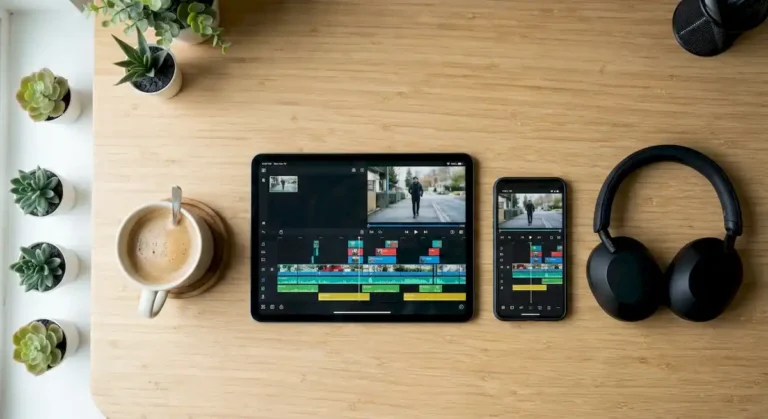
To see what AI already does in any editor and what still needs a person, read AI video editing. And if you also edit on your phone, see edit video on phone and tablet.
Which editor should you pick? Choose your case
Tap an option to see the recommendation.
Want to compare CapCut with other starter editors? Read the best video editing software for beginners.
CapCut for PC: frequently asked questions
Is CapCut for PC free?
Downloading and using the editor is free. Some features and assets are marked Pro and need a subscription to export.
Does CapCut on PC add a watermark?
It depends on the plan and the features you use. Pro features and assets need a subscription to export; check the export screen before you finish.
Is it safe to download CapCut?
Yes, if you download from the official site or store. Avoid modified versions or files that promise free Pro features: they can contain malware.
Can I use the same account on phone and PC?
Yes. Pro benefits are tied to your account and work on PC, web and phone.
Need a finished video, not a new program to learn?
At EdicionVideoPro we edit your footage in Final Cut Pro and deliver the final video together with the full project. First-time clients get a special rate so you can see our work. Message us on WhatsApp.
Sources
- CapCut: desktop video editor
- CapCut Help: price after the adjustment
- CapCut Help: Standard subscription and PC
- CapCut Help: Pro plans on desktop
- Filmora: CapCut for PC and unofficial versions
Checked on November 10, 2026. Features and prices change often.