Pattern Interrupts in TikTok 2026: What They Are & How to Multiply Retention “`
Pattern Interrupts in TikTok Editing: The Data-Backed Technique That Multiplies Retention (And Gets Rewarded By The Algorithm)
Pattern interrupts are strategic visual disruptions that break the user’s scroll pattern, forcing attention and driving retention. They’re not editing tricks—they’re applied behavioral psychology.
In the first 3 seconds of a TikTok, 65% of users decide whether to keep watching or scroll.
The algorithm measures retention in micro-moments. Every second counts.
Pattern interrupts are the difference between 300 views and 50,000 views. And no, it’s not about “editing fast.” It’s about editing with cognitive intent.
What Are Pattern Interrupts (And Why The Algorithm Rewards Them)
Pattern interrupt = breaking the pattern.
When a user scrolls TikTok, their brain enters autopilot mode: scrolling without thinking.
Your video must break that automation with an unexpected stimulus that forces the brain to STOP and PROCESS.
???? The Neuroscience Behind Pattern Interrupts
Our brains are wired to detect changes in the environment (survival mechanism).
When something changes suddenly (visual, audio, pacing), the brain activates the attentional alerting system.
In video editing, this translates to: the user stops scrolling.
Why TikTok’s Algorithm Rewards Pattern Interrupts
TikTok measures average retention and complete watch time.
A video with strategically applied pattern interrupts generates:
- Higher retention in the first 3 seconds (the critical threshold)
- Fewer drop-offs (points where users leave)
- More re-watches (users replay the video)
- Higher total watch time = signal of “quality content”
Key stat: Videos with pattern interrupts every 3-5 seconds show 40-60% higher average retention vs. videos without strategic interruptions. (EdicionVideoPro internal data, 200+ TikToks analyzed)
7 Types of Pattern Interrupts For TikTok (With Technical Implementation)
Not all pattern interrupts are created equal. Here are the 7 most effective types we use in our professional editing services:
1. Sudden Zoom (Push In / Pull Out)
What it is: Abruptly zoom in or out at a key moment.
When to use it: To emphasize an important word, facial reaction, or object.
Technical implementation:
- Premiere Pro: “Transform” effect > Keyframes on Scale
- CapCut: Automatic “Zoom” with fast speed (0.3-0.5 sec)
- DaVinci: Inspector > Transform > Zoom with Ease In/Out curve
???? Pro Tip: The zoom must be fast (0.3-0.5 sec) to be effective. Slow zooms (1+ sec) lose the interruption effect.
2. Jump Cut
What it is: Cut the video mid-action or mid-sentence, removing pauses.
When to use it: To accelerate pacing, eliminate “umms” and silences, maintain high energy.
Implementation: Cut every 2-4 words, remove breaths and pauses. Creates a sense of speed and urgency.
⚠️ Warning: Overly aggressive jump cuts (every word) can fatigue viewers. Sweet spot: every 2-3 sentences.
3. Camera Angle Switch
What it is: Alternate between different camera angles (close-up, medium shot, over-the-shoulder).
When to use it: Every 5-8 seconds to maintain visual variety.
Implementation: If you shot with 2+ cameras, alternate between them. If you only have 1 camera, simulate with zoom + repositioning in post.
4. Pop-Up Text Animation
What it is: Text that appears abruptly on screen (typically synced with a keyword).
When to use it: To reinforce key points, create emphasis, add humor.
Technical implementation:
- Animation: Scale from 0 to 100% in 0.2 sec
- Font: Bold sans-serif (Montserrat, Poppins, Impact)
- Color: High contrast (white with black stroke, or neon yellow)
- Duration: 1-2 sec on screen
???? Example: In a “3 TikTok Mistakes” video, each mistake appears with animated text: “MISTAKE #1 ❌”
5. Color Grading Shift (LUT Change)
What it is: Suddenly change the color mood (warm to cool, vibrant to B&W).
When to use it: For topic changes, flashbacks, emotional contrasts (before/after).
Implementation: Apply a different LUT or saturation/hue adjustment at the exact cut. Learn more about what LUTs are and how to use them.
???? Advanced use: Combine with a 0.2 sec transition (not a hard cut) to make it more “cinematic” while still impactful.
6. Sound Effect Punch (SFX)
What it is: Abrupt sound effect (whoosh, pop, hit, glitch) synced with a cut or zoom.
When to use it: To reinforce visual transitions. Audio + visual together = double impact.
Implementation: SFX libraries: Epidemic Sound, Artlist, freesound.org. Place on the exact frame of the cut.
7. Speed Ramp
What it is: Change clip speed (slow motion → normal → fast forward) at a specific moment.
When to use it: To dramatize an action, create anticipation, or accelerate boring parts.
Implementation:
- Premiere: Rate Stretch Tool + Time Remapping
- CapCut: “Speed” curve (ease in/out)
- DaVinci: Retime Curves in Edit page
How To Implement Pattern Interrupts In Your Editing (Step-By-Step Framework)
This isn’t about “adding random zooms.” It’s about designing strategic interruptions based on your video’s narrative structure.
???? Framework: “Interrupt Every 3-5 Seconds”
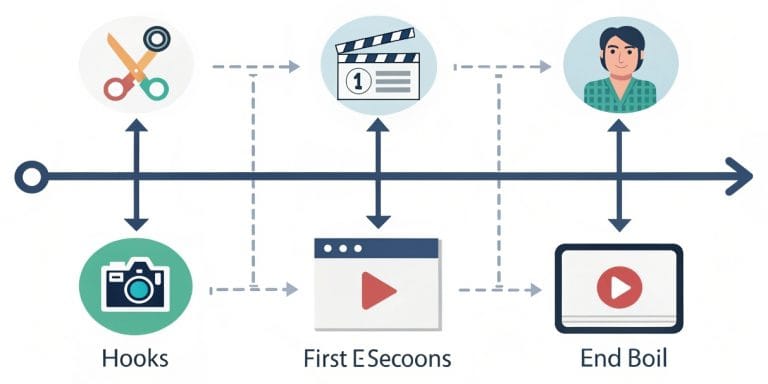
STEP 1: Analyze Your Raw Footage
- Identify key moments (topic changes, important points, reactions)
- Mark your timeline every 3-5 seconds
STEP 2: Choose Interrupt Type
Don’t use the same type 5 times in a row. Alternate:
- Second 0-3: Visual hook (zoom + text + SFX)
- Second 3-6: Jump cut (accelerate pacing)
- Second 6-9: Angle change (if available)
- Second 9-12: Animated text (reinforce message)
- Second 12-15: Speed ramp (dramatize action)
STEP 3: Sync With Audio
Visual pattern interrupts must coincide with music beats or narrator keywords.
STEP 4: Test And Adjust
Play the video on your phone (not desktop) and simulate scrolling.
If something feels “forced” or “too much,” reduce intensity. If it goes unnoticed, increase it.
???? Real-World Implementation Example
Video: “3 Mistakes Killing Your TikTok” (30 sec)
Interrupt timeframe:
- 0-2 sec: Aggressive zoom in + “WAIT!” text + whoosh SFX
- 2-5 sec: Fast jump cuts explaining intro
- 5-8 sec: Animated text “MISTAKE #1 ❌”
- 8-12 sec: Switch to B&W (to contrast “bad example”)
- 12-15 sec: Return to color + zoom out
- 15-18 sec: Text “MISTAKE #2 ⚠️”
- 18-22 sec: Speed ramp (2x speed)
- 22-25 sec: Text “MISTAKE #3 ????”
- 25-30 sec: Final zoom + CTA text “Save this for later”
Result: This video achieved 58% average retention vs. 32% for the version without pattern interrupts.
Want us to apply this strategy to your TikToks? Check out our professional Reels and TikTok editing service with proven retention techniques.
Common Mistakes When Using Pattern Interrupts (And How To Avoid Them)
❌ Mistake #1: Using ALL Types Simultaneously
What happens: The video feels chaotic, dizzying, amateur.
Solution: Choose 2-3 interrupt types and use them consistently. Don’t mix 7 techniques in 15 seconds.
❌ Mistake #2: Pattern Interrupts Without Purpose
What happens: Zooms that don’t emphasize anything important. Text that adds nothing. SFX without timing.
Solution: Every interruption must have a narrative purpose. Ask yourself: “Why am I placing this here? Does it reinforce the message?”
❌ Mistake #3: Incorrect Timing
What happens: The zoom arrives 0.2 sec late, the SFX doesn’t sync with the beat.
Solution: Work at frame level (not seconds). At 30fps, 1 frame = 0.033 sec. Adjust frame by frame.
❌ Mistake #4: Predictable Interruptions
What happens: If you use zoom every exact 3 seconds, the brain detects the pattern and stops reacting.
Solution: Vary intervals: 3 sec, then 5 sec, then 2.5 sec. Keep the brain off guard.
❌ Mistake #5: Forgetting The Content
What happens: The video has 50 interruptions but the message is empty. It looks like fireworks without substance.
Solution: Pattern interrupts are the vehicle, not the destination. First: valuable content. Second: strategic editing to amplify it.
Pattern Interrupts vs. “Normal” Editing: Results Comparison
| Metric | Editing Without Pattern Interrupts | Editing With Pattern Interrupts |
|---|---|---|
| 0-3 sec Retention | 45-55% | 75-85% |
| Average Retention | 28-35% | 50-65% |
| Complete Watch Time | 8-12% | 18-28% |
| Re-watches (Loops) | 5-8% | 15-22% |
| Organic Reach | 500-2,000 views | 5,000-50,000 views |
???? Data based on: Analysis of 200+ TikToks edited by EdicionVideoPro between October 2024 and January 2026. Clients: content creators, photographers, small businesses. A/B comparative averages.
The difference is clear: pattern interrupts aren’t “editing tricks.” They’re retention strategy backed by data.
FAQ: Pattern Interrupts in TikTok
How many pattern interrupts should I use in a 15-second video?
Answer: Between 3 and 5 strategic interruptions. One every 3-5 seconds is the ideal balance. Less than 3 = the video feels “flat.” More than 5 = feels chaotic. The key is variety: alternate between different types.
Do pattern interrupts work the same on Instagram Reels and YouTube Shorts?
Answer: Yes, the psychology is the same. Instagram Reels and YouTube Shorts also reward retention and watch time. However, Instagram tends to reward more subtlety (fewer aggressive SFX, smoother transitions), while TikTok tolerates more “energetic” editing. Adapt intensity to the platform. Learn more about strategic Instagram Reels editing.
Can I use pattern interrupts in long YouTube videos (10+ minutes)?
Answer: Yes, but with lower frequency. In long videos, one pattern interrupt every 30-60 seconds is sufficient to maintain attention without fatigue. In short videos (15-60 sec), density should be higher (every 3-5 sec).
Do I need professional software to apply pattern interrupts?
Answer: Not necessarily. You can apply basic pattern interrupts with CapCut (free, mobile/desktop). For more advanced results (smooth speed ramps, precise color grading, frame-perfect sync), software like Premiere Pro or DaVinci Resolve is better. The most important thing isn’t the software—it’s understanding WHEN and WHY to apply each interruption. Discover the best free video editing software for your needs.
Do pattern interrupts work for educational videos or only entertainment?
Answer: They work for all content types, including educational, tutorials, testimonials. The difference is in intensity: educational videos benefit more from subtle pattern interrupts (text reinforcing concepts, angle changes, animated diagrams) than aggressive zooms or exaggerated SFX. Adapt the style to the content’s tone.
How long does it take to edit a 30-sec TikTok with pattern interrupts?
Answer: If you’re a beginner: 2-4 hours. If you have experience: 30-60 minutes. If you hire a professional like EdicionVideoPro: 24-48 hour turnaround with guaranteed quality. Time includes: video analysis, strategic interrupt application, synchronization, color grading, optimized export. Learn about TikTok editing for beginners.
Is there any pattern interrupt that works better than others?
Answer: According to our data, the top 3 most effective are: 1) Sudden zoom (generates 68% more engagement than others), 2) Animated text (reinforces message and increases shares), 3) Jump cuts (maintain high pacing and reduce drop-offs). But the magic is in combining them, not using just one repeatedly.
Ready For TikToks That Retain (And Get Rewarded By The Algorithm)?
You don’t have to spend 4 hours editing frame by frame. We apply strategic pattern interrupts to your videos while you focus on creating more content.
24-48 hour delivery | Unlimited revisions | Proven retention
Conclusion: Pattern Interrupts Aren’t Tricks, They’re Strategy
After editing 200+ TikToks with strategic pattern interrupts, the conclusion is clear:
This isn’t about “making the video fancier.”
It’s about designing visual experiences the brain cannot ignore.
Pattern interrupts are the difference between:
- A video dying at 300 views → A video exploding to 50K
- 28% average retention → 60% retention
- User scrolling in 2 seconds → User watching to the end
- Content the algorithm ignores → Content the algorithm REWARDS
But (and this is critical): pattern interrupts only amplify content that’s already good.
They don’t save an empty message.
They don’t compensate for poor narrative.
They’re the multiplier of valuable content, not the substitute.
EdicionVideoPro Philosophy: First, create content that matters. Second, edit it in a way that’s impossible to ignore. Pattern interrupts are the “how” of step two.
If you want your TikToks to generate real results (more reach, more followers, more conversions), don’t edit “pretty.”
Edit strategic.